Godot vs Unity in 2026: An Honest, Data-Backed Comparison
Godot is the better pick for 2D games, solo devs, and anyone who values zero licensing risk.
It is free forever under the MIT license, ships a 120 MB editor, and its 2D pipeline is purpose-built.
Unity is the better pick for 3D-heavy projects, console launches, and teams that depend on the Asset Store.
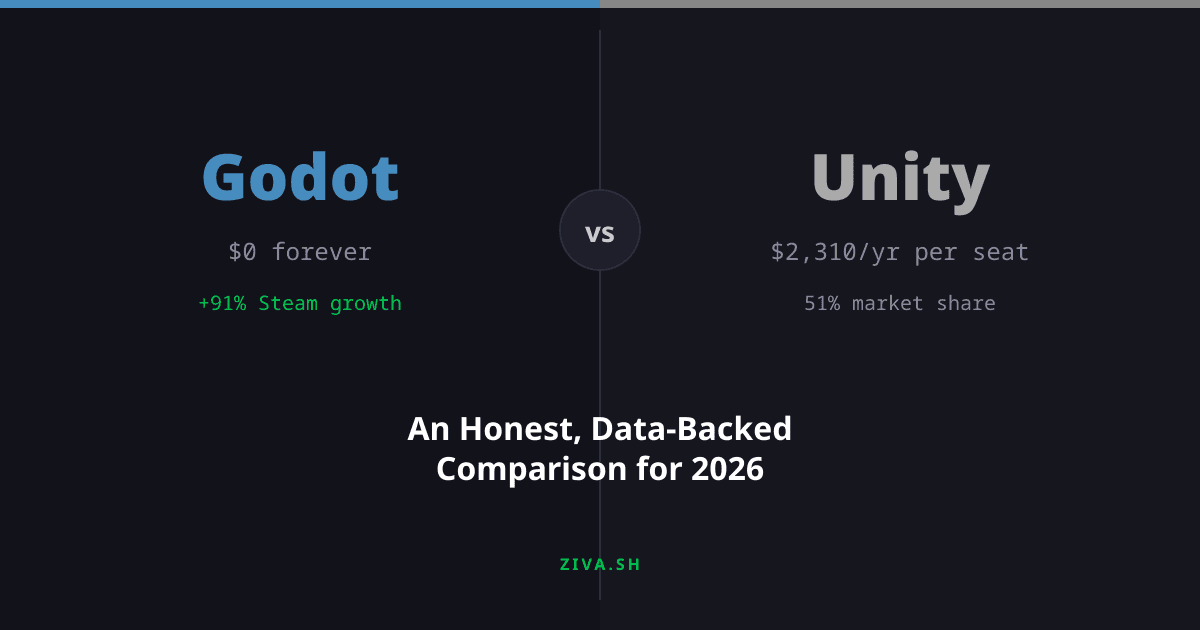
Unity Pro costs $2,310/yr per seat but gives you a more mature 3D renderer and official console export.
The gap is closing fast. Godot went from 19% to 40% of GMTK Game Jam submissions in two years. Steam games shipped with Godot doubled year over year.
Godot is closing the gap faster than most people realize
Game jams. At the GMTK Game Jam 2024 , the largest jam on itch.io, Godot jumped from 19% to 37% of all submissions in a single year while Unity dropped from 61% to 36%. By GMTK 2025 , the two engines were nearly tied at about 40% each. If the trend holds, Godot will be the most-used jam engine by the end of 2026.
Steam releases. SteamDB data shows Godot games shipping on Steam roughly doubling every year: 618 in the Mar 2023-2024 window, 1,500 in 2024-2025, and 2,864 in 2025-2026. Unity still leads in total commercial releases with roughly 51% market share on Steam in 2024 , but Godot is the only smaller engine gaining ground.
GitHub. Godot’s main repository has over 102,000 stars, making it one of the most-starred open-source projects on the platform. Google search interest for Godot has grown at a 45% compound annual rate since 2022, while Unity search interest stayed flat.
Unity still powers far more shipped commercial games. But the trajectory is clear, and games like Brotato ($10.7 million) , Dome Keeper ($6.1 million), and Backpack Battles ($5.2 million) prove Godot can support real commercial success.
Pricing: free vs. free-until-you’re-not
Godot is MIT-licensed . No subscription, no per-seat fee, no revenue share, no runtime fee. You can ship a game that earns $50 million and owe Godot nothing. The Godot Foundation runs on donations .
Unity Personal is free up to $200,000 in annual revenue . Cross that threshold and you need Unity Pro at $2,310/yr per seat , after a 5% price increase in January 2026 . Teams earning above $25 million need Unity Enterprise at custom pricing.
Unity cancelled its controversial runtime fee in September 2024 after widespread developer backlash. The fee itself is gone, but the episode revealed that a commercial engine vendor can change the terms of the deal after you have already built your game on it. That risk is structurally impossible with an MIT license.
For solo developers and small studios where every dollar of game development cost matters, Godot’s licensing is simpler: nothing to track, no thresholds to worry about, and no pricing page to check annually.
2D, iteration speed, and openness
Godot was built with a dedicated 2D pipeline from the start. Pixel-perfect rendering, 2D physics, and tilemaps all ship out of the box with a coordinate system that makes sense for 2D. For platformers and roguelikes, Godot is the strongest choice in 2026.
The Godot editor download is about 120 MB and launches in seconds. Scene switching is instant. Unity’s editor is multiple gigabytes and asset reimports add up over a long development cycle.
GDScript, Godot’s built-in scripting language, is tightly integrated with the editor and has a learning curve measured in days for anyone who has written Python. Unity’s C# is more broadly useful as a language, but GDScript gets you from idea to prototype faster.
You can read every line of engine code, fix bugs yourself, and contribute upstream. Godot 4.6 (released January 2026) shipped with Jolt as the default 3D physics engine, a modern editor theme, delta patching for game updates, and LibGodot for embedding the engine in other apps. All built by the community.
3D, ecosystem, and platform reach
Unity 6 shipped in October 2024 with an improved render pipeline, better DirectX 12 support, and lighting tools that are more mature than what Godot offers today. If you are building a 3D game with complex lighting or realistic materials, Unity’s tooling is still ahead. Godot 4.6 made real progress (Jolt physics, SSR overhaul), but Unity has had years of 3D investment.
Unity’s Asset Store has thousands of production-ready plugins, art packs, and tools. Godot’s asset library is growing but much smaller. If your workflow depends on buying pre-built systems for inventory, dialogue, or networking, Unity gives you more options today.
Console access is a platform decision, not just an engine checkbox. Unity’s closed-platform support requires a relationship with the platform provider and the relevant legal agreements: https://docs.unity3d.com/Manual/PlatformSpecific.html . Godot’s 4.5 console guide describes SDK access and export templates developed in-house or supplied by a third party, with licensed-developer access required regardless of engine: https://docs.godotengine.org/en/4.5/tutorials/platform/consoles.html . For a Godot console port, ask a provider for a quote scoped to your game and target platforms rather than budgeting from a universal porting-price range. Unity is also the dominant engine for VR/AR development, with native support for Meta Quest and Apple Vision Pro. Godot has OpenXR 1.1 support as of 4.6, but the XR plugin ecosystem is much thinner.
Finally, more studios hire for Unity than Godot. If you are building a career rather than an indie project, Unity experience is more marketable today. That could shift as Godot adoption grows, but it is the reality in 2026.
When to pick which
Pick Godot if you are making a 2D game, working solo or on a small team, want zero licensing overhead, or value being able to read and modify the engine source. Most indie games launched in 2026 would be well-served by Godot.
Pick Unity if you are making a 3D game that needs advanced rendering, you are targeting consoles at launch, your team depends on Asset Store plugins, or you are building for VR/AR. Unity’s ecosystem advantages are real and worth the subscription cost for these use cases.
Pick either if you are making a mid-complexity 3D game without demanding rendering requirements. Both engines can handle it. Choose based on which editor and language you prefer.
The wrong choice is to spend weeks deciding instead of building. Make the prototype answer the questions that could force a switch:
- List your target platforms and check access requirements before assuming you can export to them.
- Try the native plugins and language your project actually needs, not just the default demo.
- Build one representative scene with your own assets and export it to a target you can access.
- Compare the editing, loading and debugging work you repeat most. If you time it, use the same machine and record the engine versions and project settings.
Then estimate what a switch would mean for those scripts, assets and dependencies. That is more useful than discovering a missing platform or plugin after building half the game.
Published by the Ziva team. Ziva is an AI agent that works inside game engines to speed up development.